November 2026 Product Update
Featuring Dutchie's latest launch

Digital Signage

Digital menu boards, curated for your store.

Dutchie Digital Signage puts your menu on your in-store screens. Choose what each board shows, and each store's screens show that store's own prices and stock, all managed in Dutchie Admin.

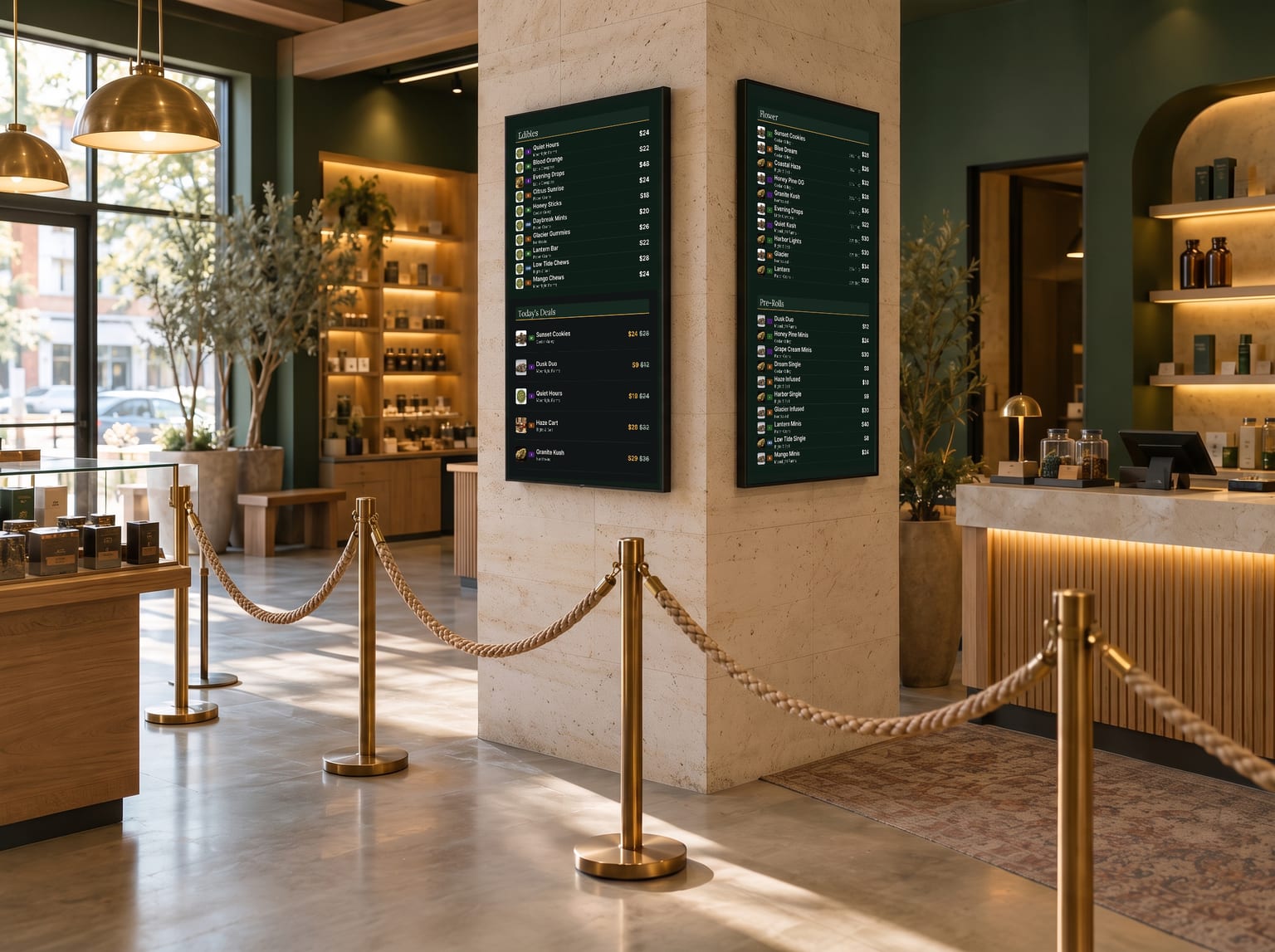
Two portrait menu boards on a column by the queue in a dispensary
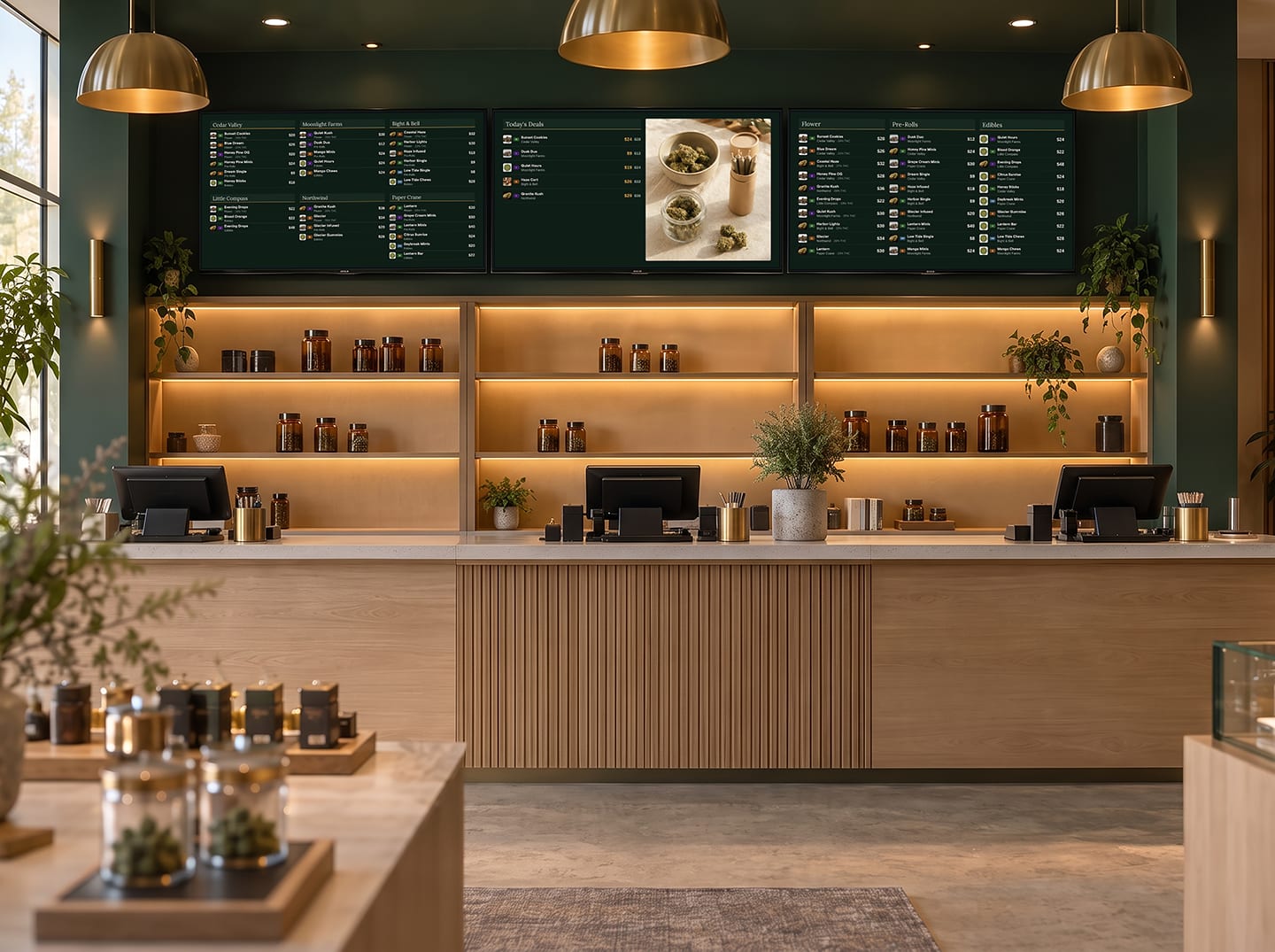
Three menu boards above a dispensary counter showing the menu and a promo image
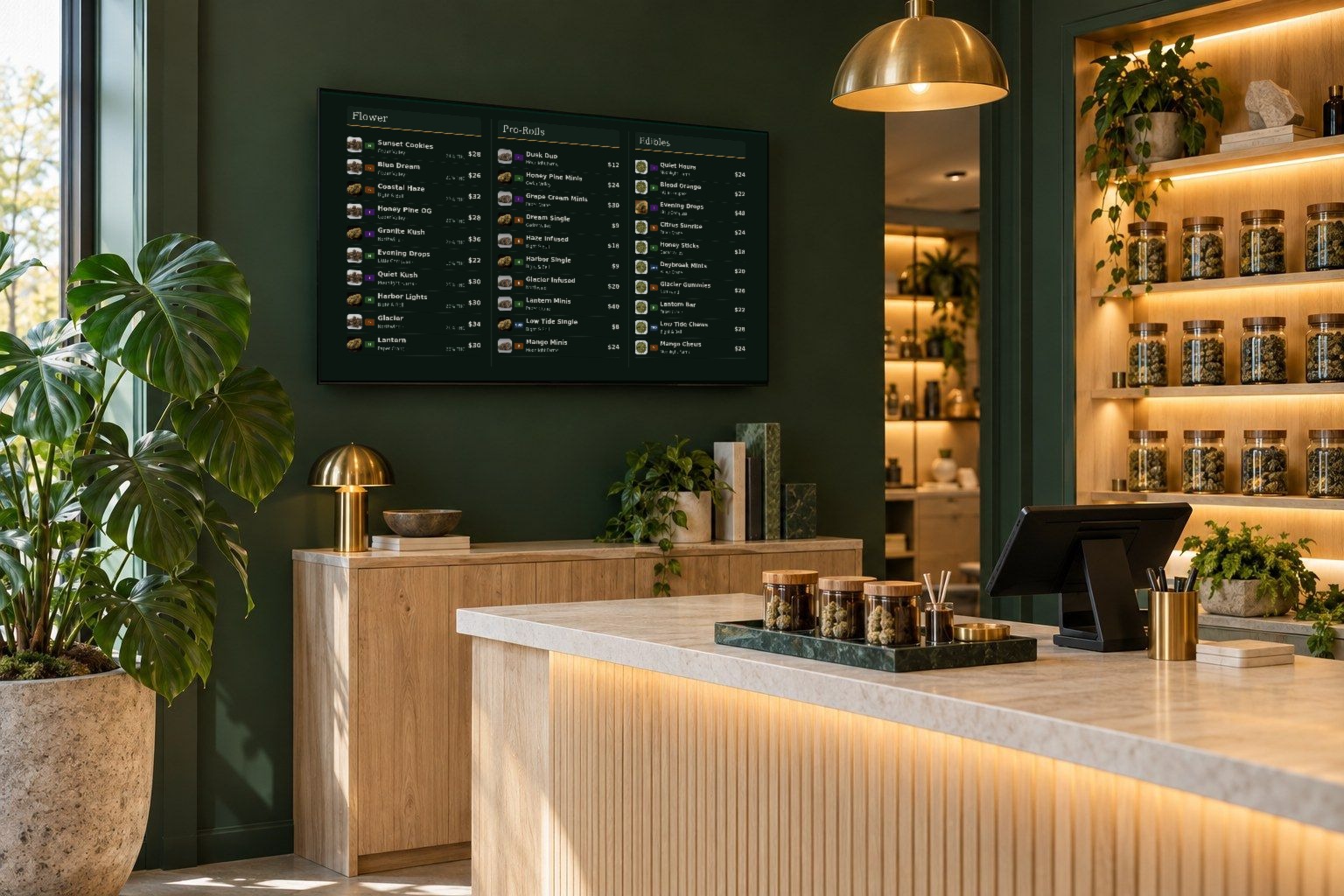
A menu board on the wall behind a dispensary counter

Digital Signage

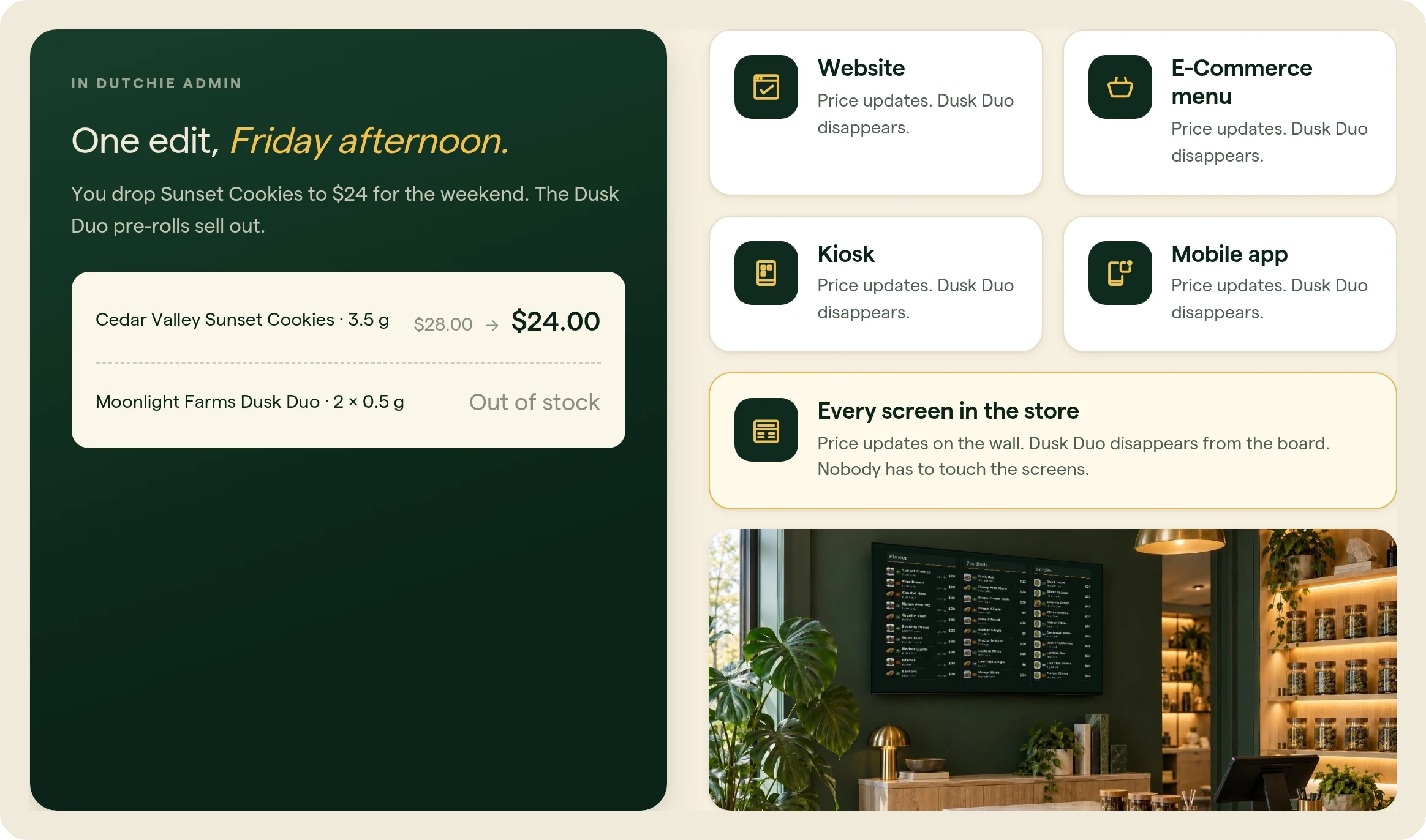
One edit in Dutchie Admin, Sunset Cookies drops from $28 to $24 and Dusk Duo goes out of stock, updates the website, E-Commerce menu, kiosk, mobile app, and every screen in the store
One menu, every screen

Build one board. Every store shows its own shelf.

Boards live in Dutchie Admin. Each screen renders that board against its own store's catalog: its prices and its stock. Ten locations, one board to maintain. And it's the same menu your website, E-Commerce, kiosk, and app already read.

Board builder

Build directly from the menu you manage.

Products, prices, and stock come from the Dutchie menu you already manage, so there is nothing to re-enter. You can also publish a standalone image.

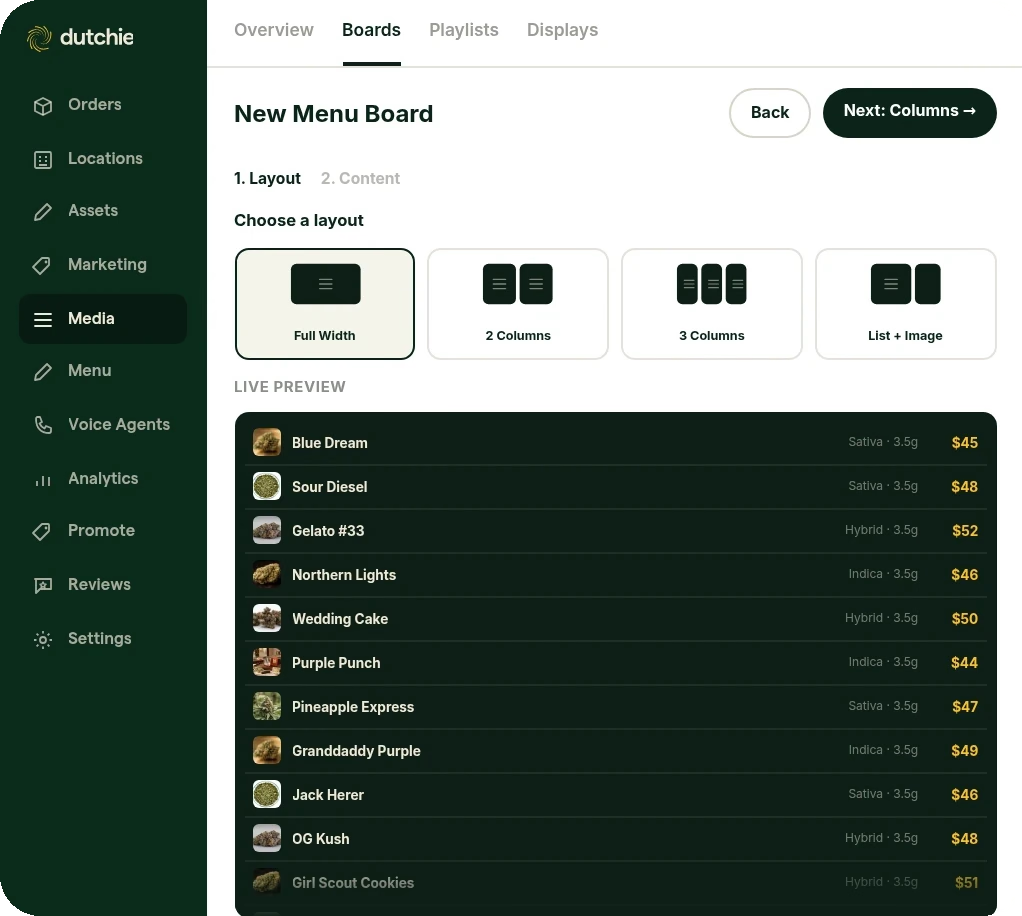
Building a new menu board in Dutchie Admin: choose a layout and see a live preview from the menu
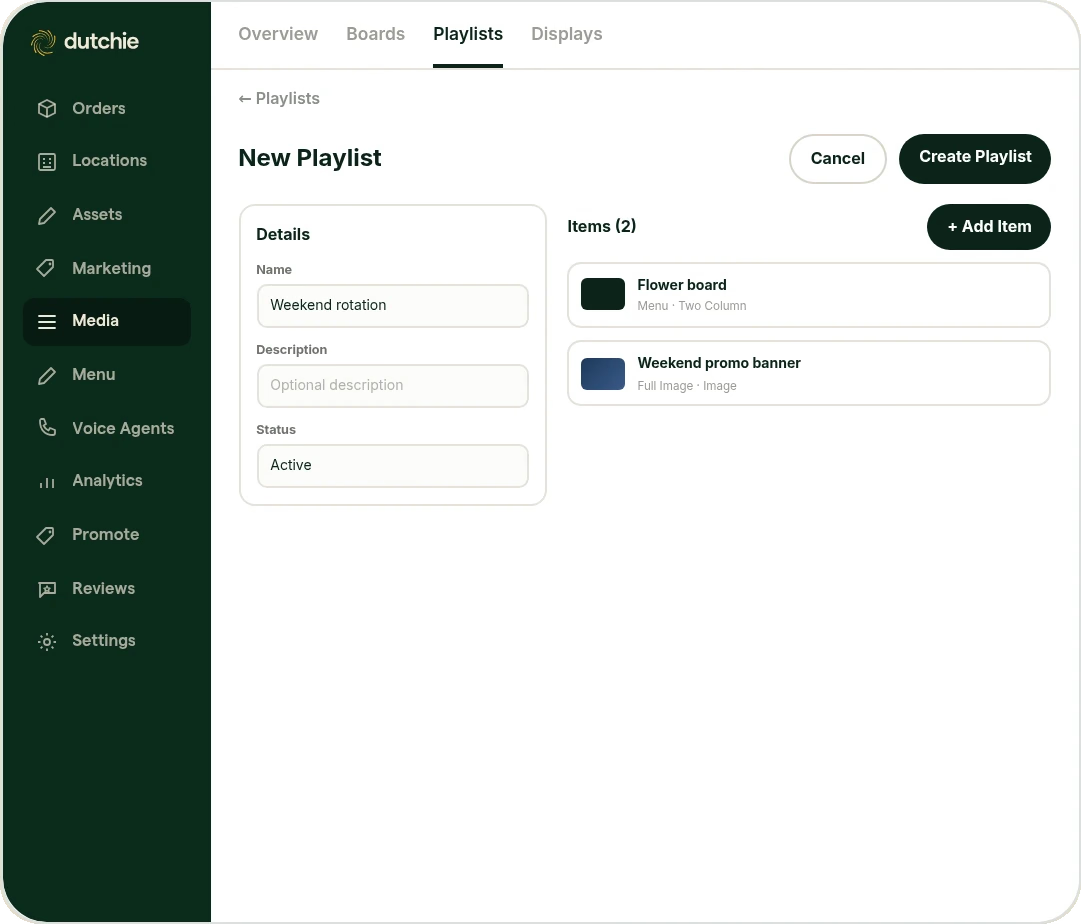
Creating a Weekend rotation playlist with a Flower board and a Weekend promo banner in Dutchie Admin
Playlists & displays

Mix boards, images, and video into one rotation.

A playlist combines boards and standalone assets into a single rotation, timed and ordered however you want, then set on each paired display from Dutchie Admin.

Digital asset management

One library for everything you show your customers.

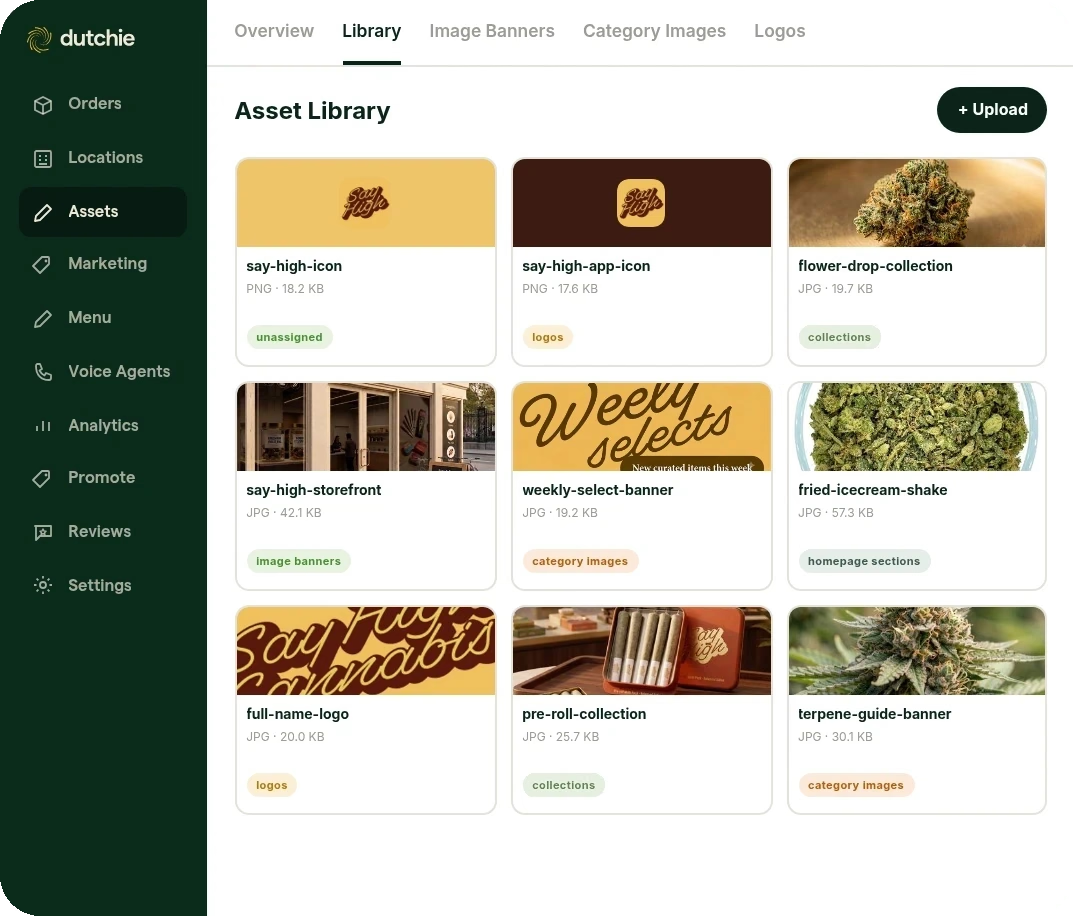
Every asset you upload anywhere on your menu lands automatically in one library, already organized and tagged.

The Asset Library in Dutchie Admin with tagged logos, collections, image banners, and category images
Platform Updates · November 2026

More across the platform

5 updates across Loyalty & Marketing, Discounting, and E-Commerce.
Loyalty & Marketing
Loyalty & Marketing

Personalized Product Recommendations in Campaigns

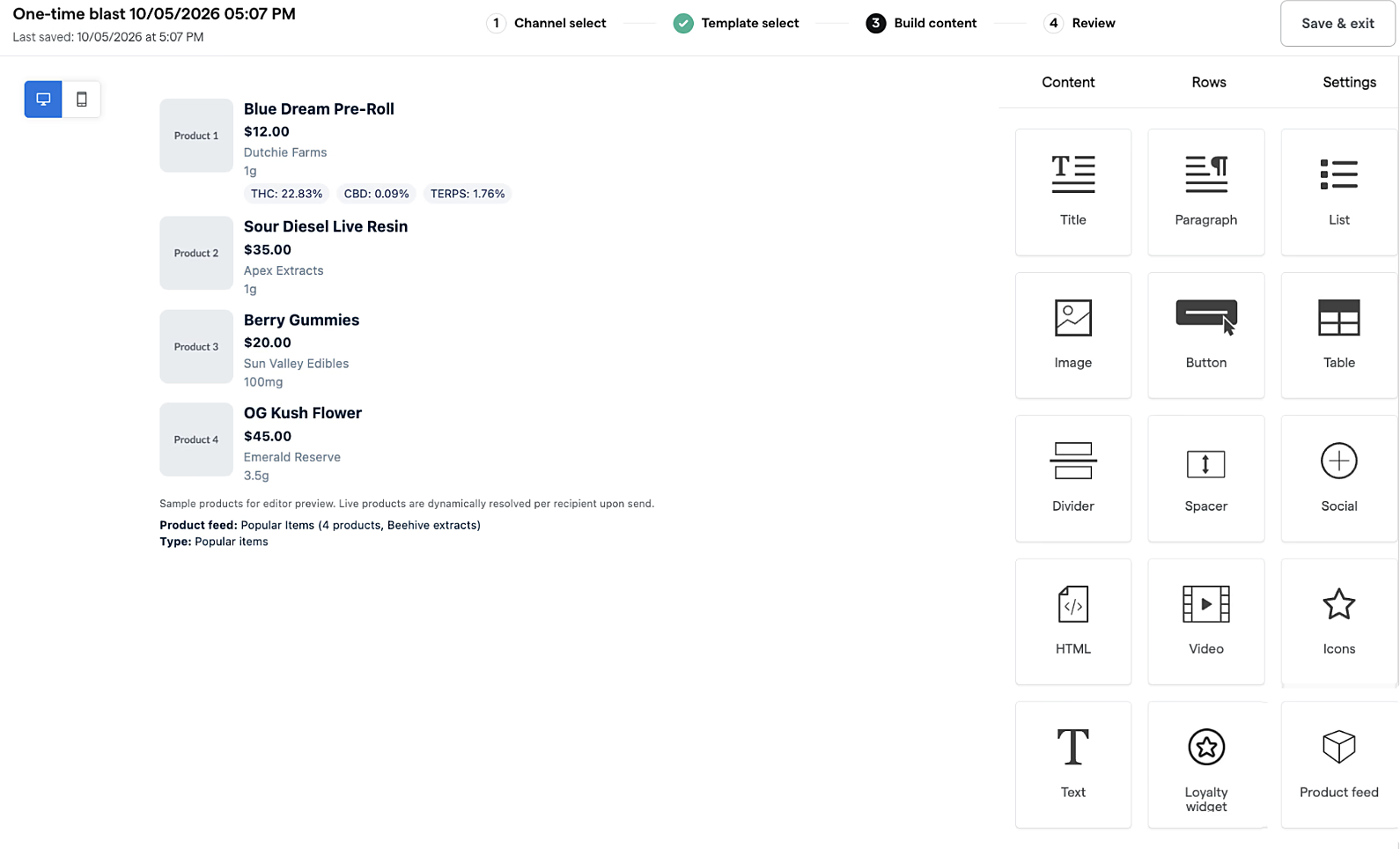
Send every shopper products picked for them. Set up your recommendations once, drag them into any email or SMS campaign, and Dutchie fills it with personalized recommendations for each recipient. Every product links straight to its product page, so shoppers go from inbox to cart in one tap. Schedule them or turn them on, and they keep themselves up to date.

1 / 2
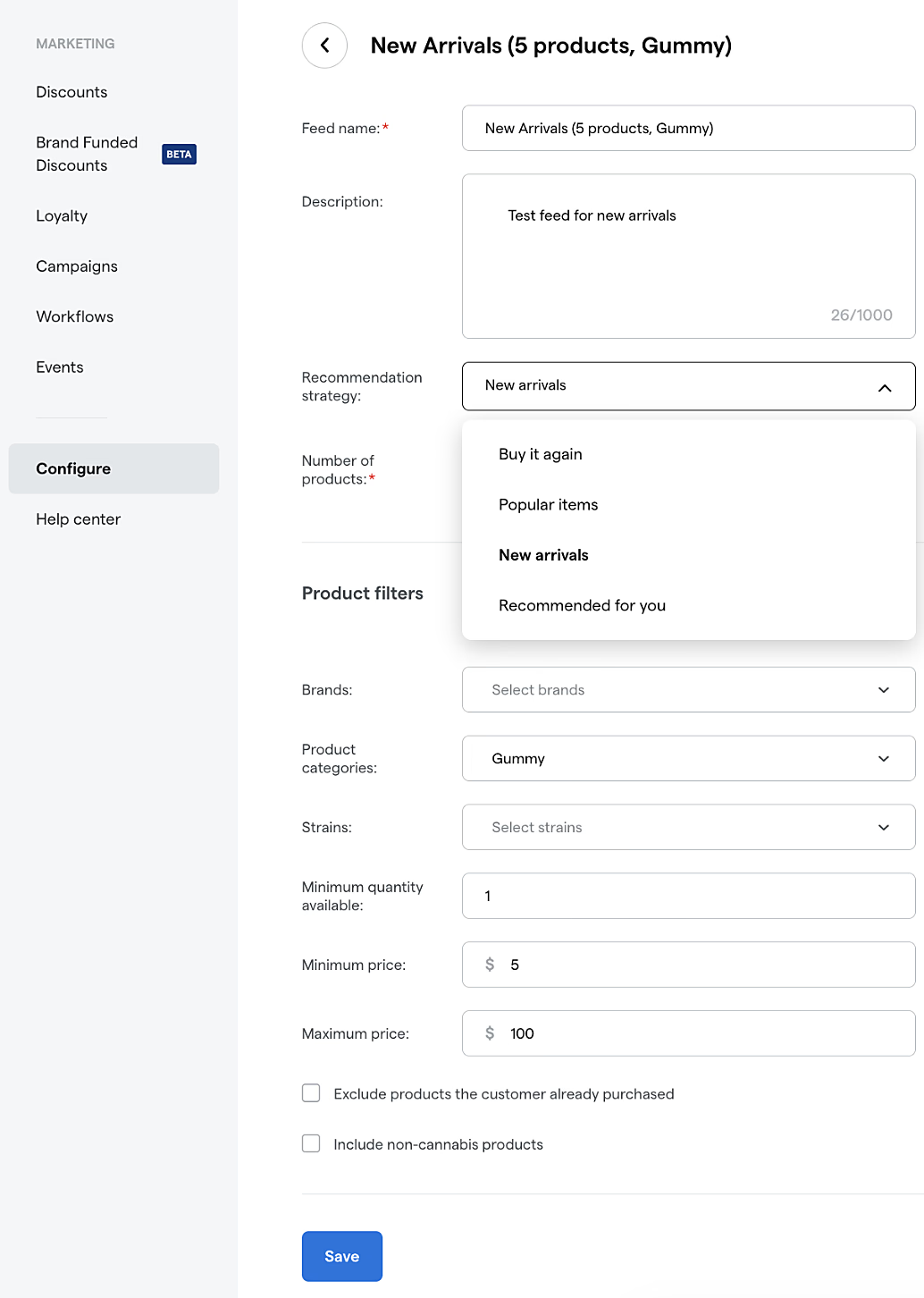
Product feed setup with recommendation strategy options
Campaign builder with the Product feed block
Loyalty & Marketing

Loyalty Widget for Campaigns and Kiosk Pro

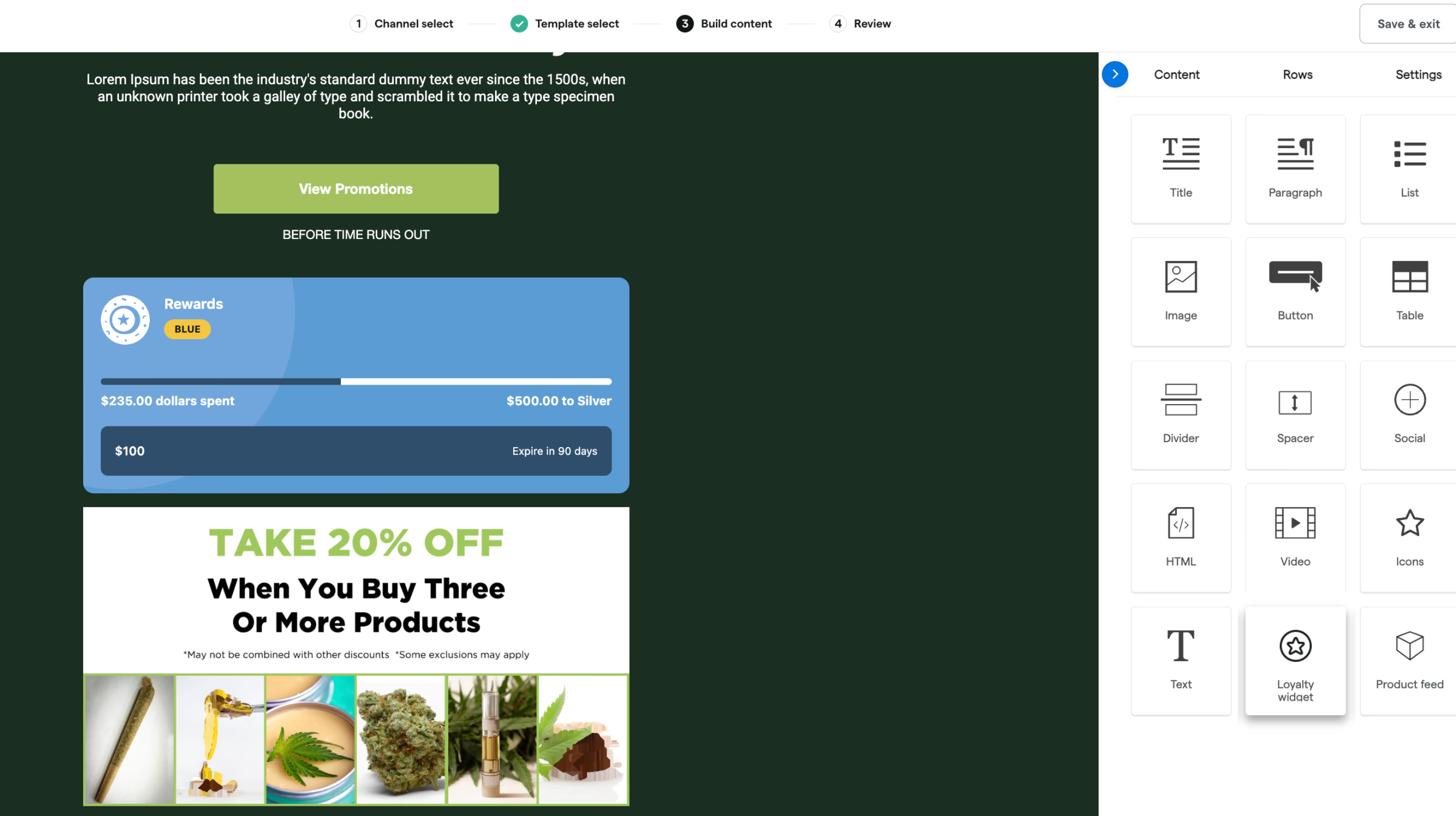
Remind customers what they've earned before it expires. The Loyalty Widget shows each customer their own points balance, tier progress, and expiration date, and now works in email campaigns and on Kiosk Pro. Drop it into a campaign, and every recipient sees their own numbers. In store, logged-in customers see the same view right on the kiosk.

Loyalty Widget for Campaigns and Kiosk Pro
Discounting
Discounting

Guardrails for Tiered Discounts

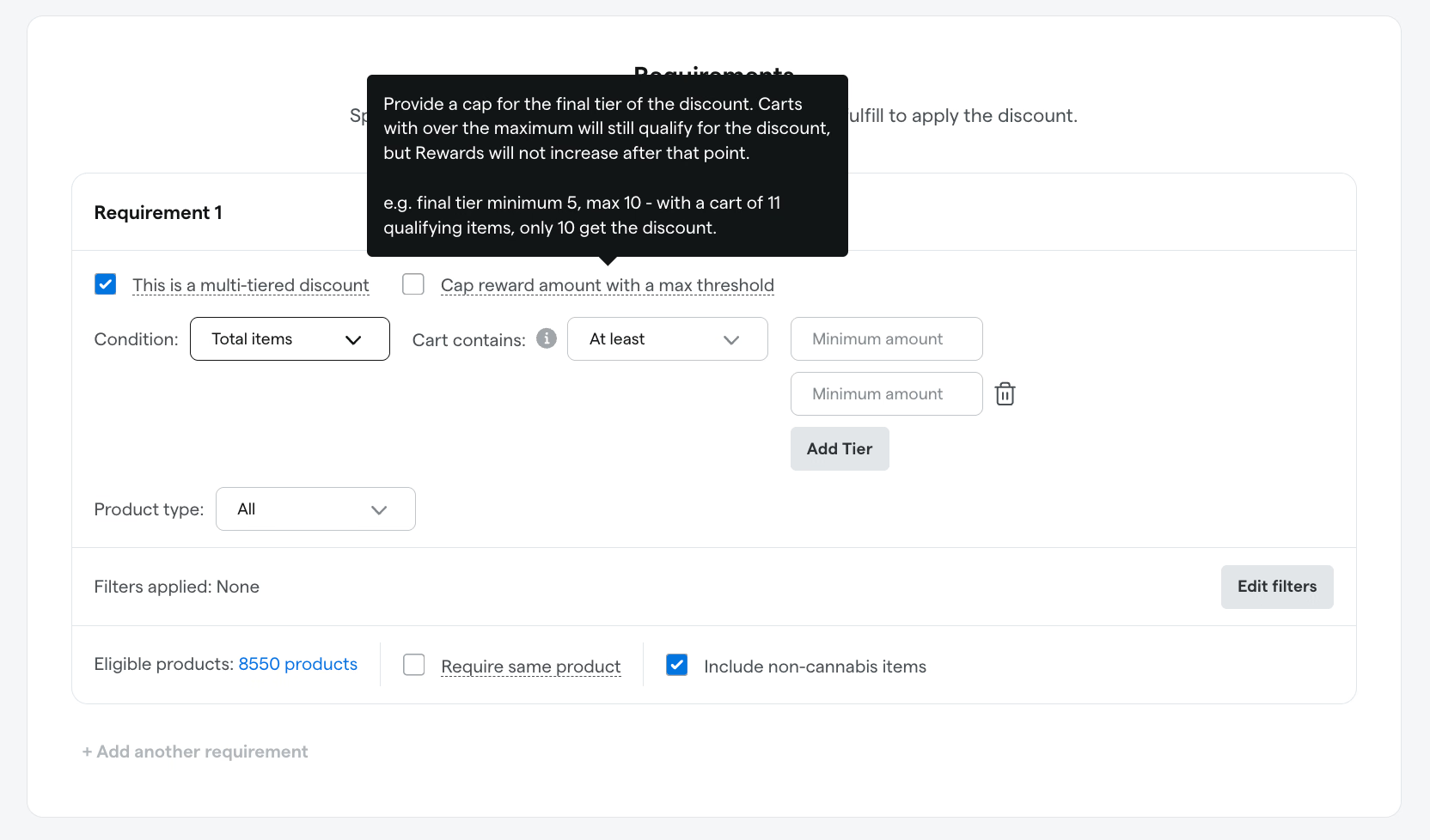
Make sure every tiered promotion rings up the way you built it. When you build a multi-tier discount, Dutchie POS now sets clear quantity boundaries for each tier and blocks tiers that overlap or leave gaps. Every purchase lands in the right tier, even at a tier's edge, so customers get the discount you intended and staff spend less time fixing mispriced promotions.

Guardrails for Tiered Discounts
Discounting

Online Discount and Tax Display Controls

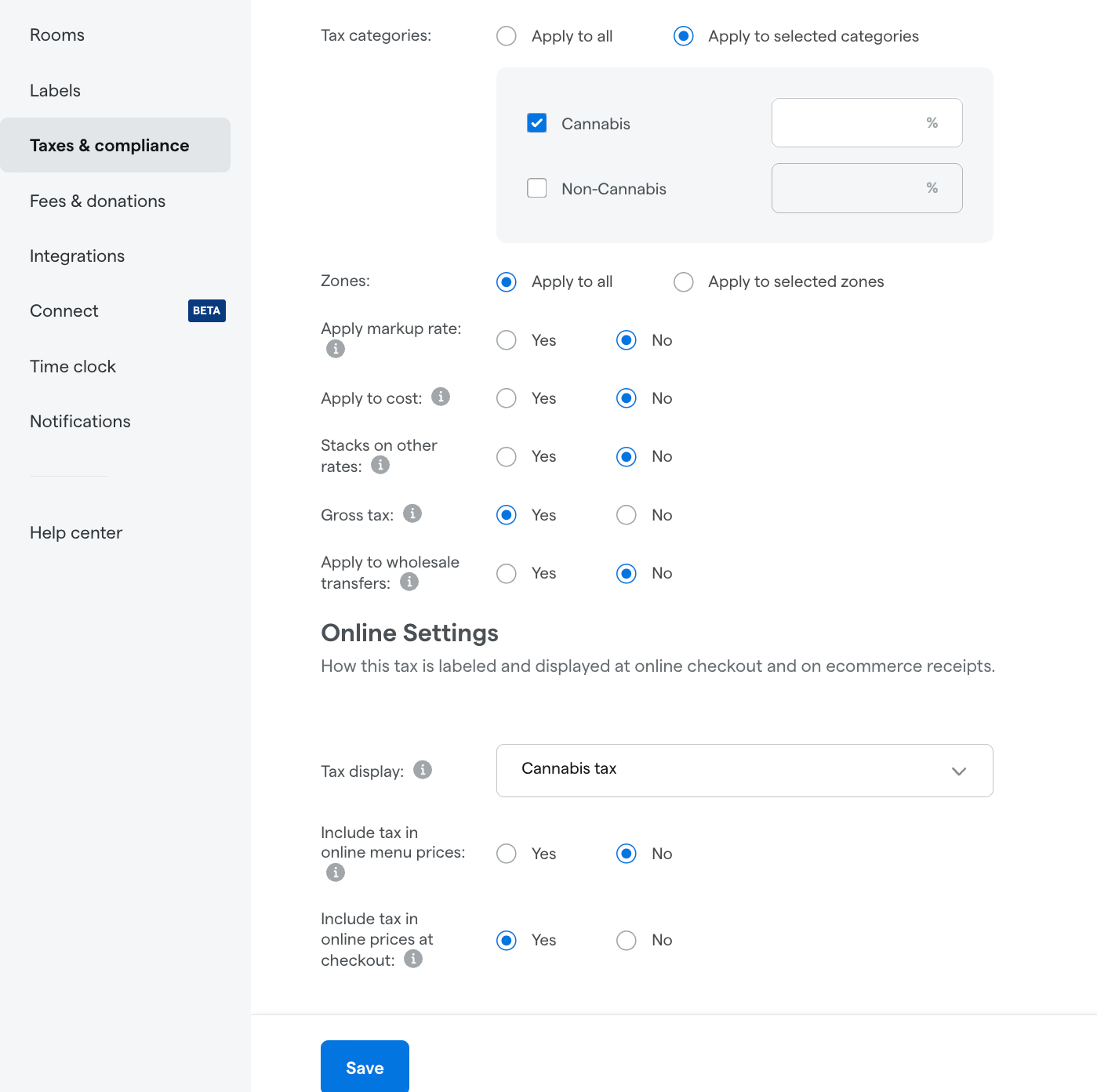
Take more control over how prices appear online, and keep them consistent with what customers see in store. More of your Dutchie POS discount rules now carry over to your online menu, so discounts that exclude non-cannabis items or filter by pricing tier can show online without workarounds. Tax display for online orders is now managed directly in Dutchie POS, with separate controls for each tax rate during menu browsing and at checkout, so you decide which prices customers see, where, and when.

Online Discount and Tax Display Controls
E-Commerce
E-Commerce

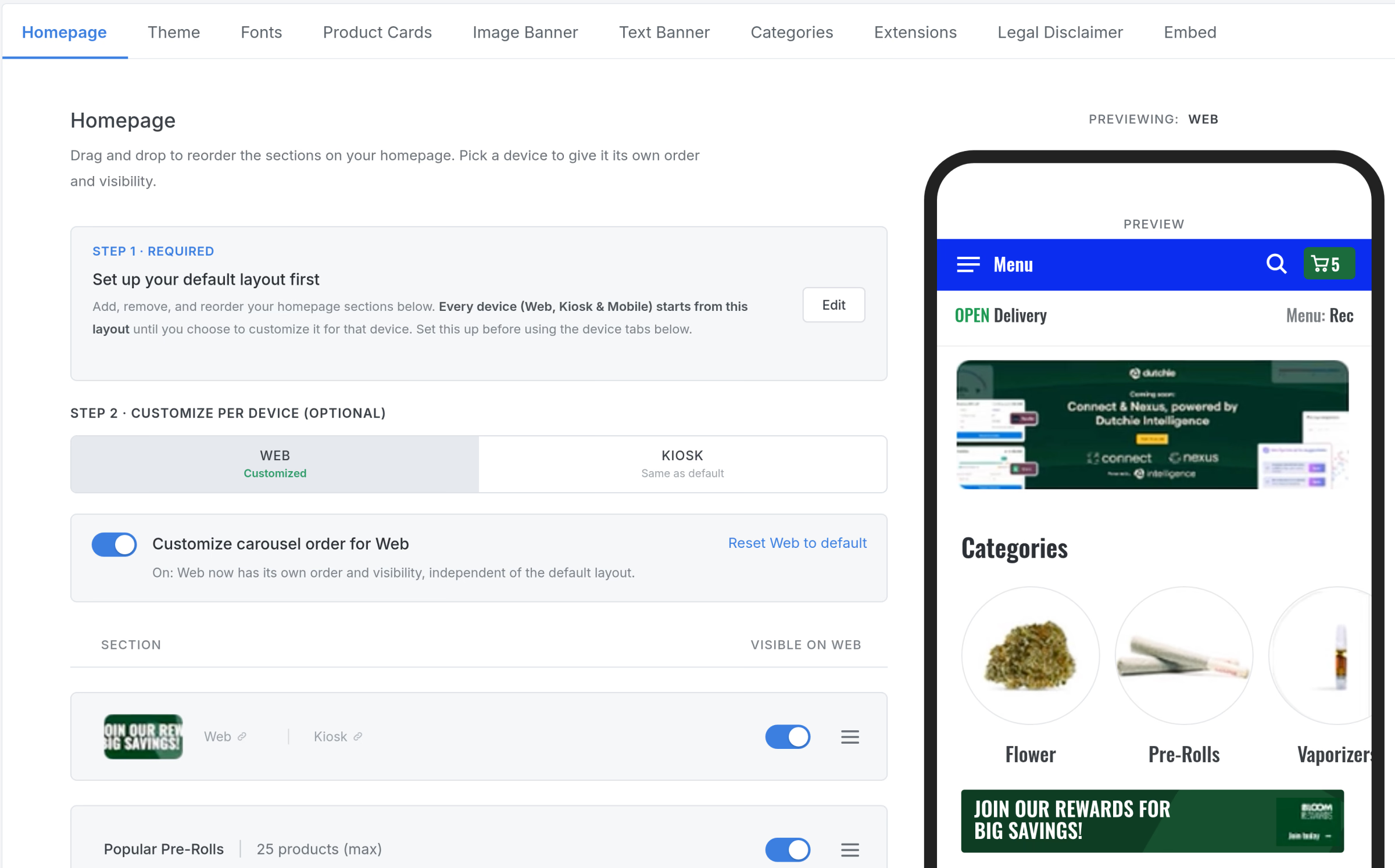
Customize Homepage Carousels by Channel

Give every channel the homepage it needs. Set up one default homepage layout in Dutchie E-Commerce, then give your web menu, kiosk, or branded mobile app its own carousel order and visibility. Feature what matters most on each channel without changing the others. Channels you don't customize keep following your default layout, and you can reset any channel to the default at any time.

Customize Homepage Carousels by Channel
Customer Story
JARS Cannabis storefront at dusk
Video Case StudyJARS Cannabis

See How JARS Cannabis Scaled to 80+ Stores on Dutchie

JARS Cannabis has grown from one store to 80+ locations across three states and is still growing. Its stores run on Dutchie's unified platform: Point of Sale, E‑Commerce, CRM, Loyalty & Marketing, Pay by Bank, Mobile App, and Consumer AI.

80+
Stores across three states
30%
Of business through the Dutchie Mobile App
84-99%
Revenue per customer rise after joining JARS' loyalty program